Why Your Editing Style Actually Matters
Your editing style is the first thing people notice even if they don’t realize it. In a sea of content, your tone, pacing, color, and cuts are what grab attention (or don’t) in the opening seconds. First impressions happen fast. Style matters because repetition builds recognition.
That’s why consistency is key. When your audience sees a thumbnail or the first five seconds of your video, they should know it’s you. The goal isn’t to be flashy it’s to be familiar, in the best way. A signature look, sound, and flow tells your viewer, “Hey, settle in. You know what you’re getting.”
And no, it’s not about throwing trendy filters on everything. Story drives style. Good editing backs the emotion, energy, and clarity of what you’re trying to say. If your storytelling is solid, your style will follow and stick.
Step 1: Study What You Like (and What You Don’t)
Before you define your own unique editing voice, you need to tune into the styles that already inspire you. This step is about sharpening your eye understanding what catches your attention and why.
Reverse Engineer What Works
Start by analyzing edits from creators you genuinely respect. Don’t just enjoy their work study it.
Where do they cut? How fast is the pacing?
Do they use specific color tones or transitions?
How do they create emotional impact with sound and visuals?
Try re editing a short clip inspired by someone else’s style. Once you understand how a specific effect or rhythm is built, you’ll be better equipped to develop your own.
Build a Visual Inspiration Bank
Collect media that resonates with your style goals. It could be:
Screenshots of film frames or YouTube thumbnails
Clips with memorable transitions or grading
Mood boards that represent your desired color palette or vibe
Use tools like Pinterest, Milanote, or even a private folder to organize your references. Over time, this becomes a visual library you can pull from anytime you feel creatively stuck.
Spot the Common Threads
Once you’ve gathered enough reference material, start identifying patterns. Ask yourself:
Is there a consistent color grading style (e.g., warm and soft, cold and crisp)?
Are the transitions smooth and cinematic, or punchy and quick?
What’s the pacing like slow build or rapid fire?
By pinpointing these shared characteristics, you’ll begin crafting your own visual principles the building blocks of your future style.
Step 2: Test, Tweak, Repeat

Presets are a helpful launch pad, not your final destination. They save time, sure but lean on them too hard, and your work ends up looking like everyone else’s. Instead, treat presets like seasoning: use sparingly, and always tweak to taste. Adjust color, pacing, cropping whatever makes it feel like you.
To sharpen your instincts, set up a sandbox project. No deadlines, no pressure. Just a space to break things, try wild ideas, and figure out what clicks. This is where your best surprises often come from.
One simple trick that works: edit the same raw footage three ways. One using your current style, one with a completely different approach, and one where you try something you’re not sure will work. Stack them side by side and study the difference. That’s how you’ll start recognizing your signature voice and where it still needs tuning.
Step 3: Define Your Visual Language
This is where your editing style starts to feel like yours. First up: your color palette. Are you going all in on warm and moody vibes? Prefer sharp, bright and clean? Or maybe you lean toward something gritty and raw? Whatever route you pick, stay consistent this becomes a key part of how your audience identifies your work at a glance.
Next, transitions. Flashy effects can be fun, but overdone, they scream amateur. Stick with a few that work well with your storytelling. A solid cross dissolve, a quick whip pan, maybe a timed cut to the beat. Use transitions like punctuation, not decoration.
Finally, don’t sleep on sound design. Great audio often goes unnoticed, but that’s the point it pulls everything together. Create a consistent sound fingerprint: same type of ambient track, recurring audio cues, maybe a signature intro sting. It makes your audience feel like, yep, this is one of yours.
Your visual language isn’t just about looking good it’s about leaving a mark.
Step 4: Lock in Your Workflow
Once you’ve started to define your editing style, it’s time to create a workflow that supports it. A repeatable system doesn’t just save time it frees up mental space so you can focus more on creativity and less on guesswork.
Save Your Custom Templates and LUTs
Templates and LUTs are your editing building blocks. By saving your go to visuals and setups, you avoid starting from scratch every time.
Create reusable project templates in your editing software
Save frequently used LUTs or color profiles into a centralized folder
Customize title animations, lower thirds, or sound effects presets you often use
Build for Speed Without Losing Control
An effective system balances speed and flexibility. You want to move faster without sacrificing your unique visual identity.
Organize your assets: keep fonts, overlays, B roll, and music easily accessible
Build editing shortcuts or macro commands for repeat tasks
Practice batch processing where possible (especially for similar sequences)
Create a Visual Style Cheat Sheet
A cheat sheet can be a literal document or a visual mood board that reminds you of your editing DNA.
List your preferred transitions and when to use them
Note the ideal BPM or type of music that fits your brand
Include style rules for intro/outro, color tone, framing, and pacing
Locking in your workflow isn’t about avoiding change it’s about creating a solid baseline you can build on. Once in place, it’s easier to experiment without losing your signature look.
Step 5: Evolve Without Losing Your Core
Look back before you charge forward. Pull up your older videos and give them a cold, honest watch. Some edits might still land; others might scream 2021. That’s fine what you’re hunting for is the throughline. What still feels like you? What feels forced or outdated? Use that insight to strip away the fluff while keeping your fingerprint intact.
Trends will come knocking, fast and loud. You don’t have to ignore them but don’t let them strong arm your style either. Incorporate small touches if they amplify what you’re already doing. If they hijack your tone or rhythm, toss them.
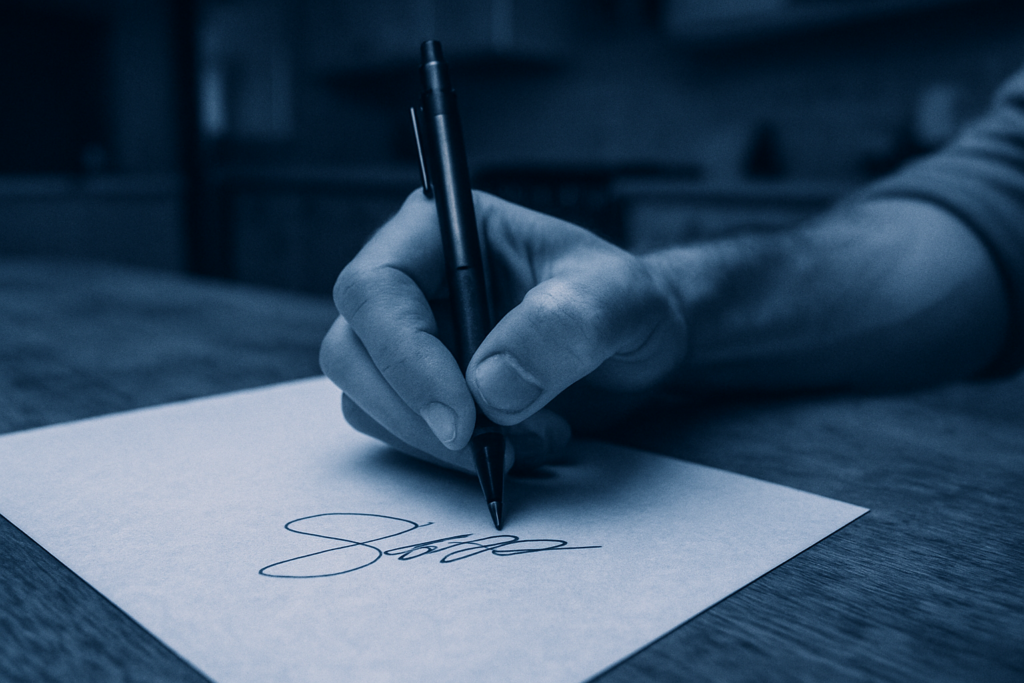
Think about your editing like handwriting. It changes slightly over time smoother, cleaner but the core stays yours. You’re not trying to reinvent it every season; you’re sharpening the edges. Let your evolution be intentional, not reactive.
For a deeper walkthrough, check out this full signature style guide. It breaks down every part of the process so you can build something that’s both consistent and uniquely yours.
Final Take
Your editing style isn’t just decoration it’s how people recognize you in a feed full of noise. Defined right, it makes your content feel deliberate. Cohesive. Yours. But waiting for it to magically appear doesn’t work. You have to build it.
That means showing up, testing often, and keeping what hits. Don’t overthink perfection focus on patterns. What colors feel like your voice? What music feels like your mindset? Figure that out, cement it, then scale it.
Style isn’t something you find once. It’s something you revisit. You’ll tighten the edges over time, learn what lands with your viewers, and cut what distracts. In short don’t just edit. Edit with intent.
Need help breaking it down? Revisit this signature style guide anytime.